
If you have submitted your proof of debt for voting purposes and submitted a proxy then you are ready to vote at a meeting.
Below shows how the polls are displayed for voting. Voting buttons are available for each resolution.
Voting
Once the meeting is open for voting, the voting buttons will be enabled for each resolution and you can select your vote. You may choose to vote on a resolution either select:
- Approve
- Reject
- Abstain
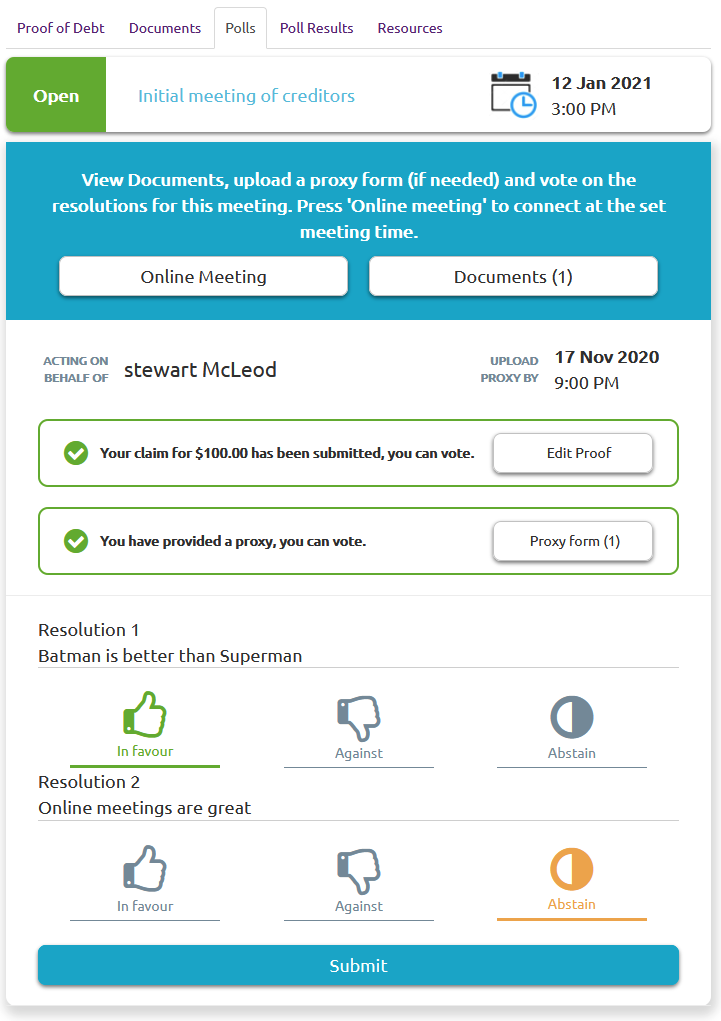
Submit your vote
Once you have chosen your voting option for each resolution you can submit your votes. You can vote on one or all of the resolutions.
Click the "Submit" button and the voting confirmation page appears:
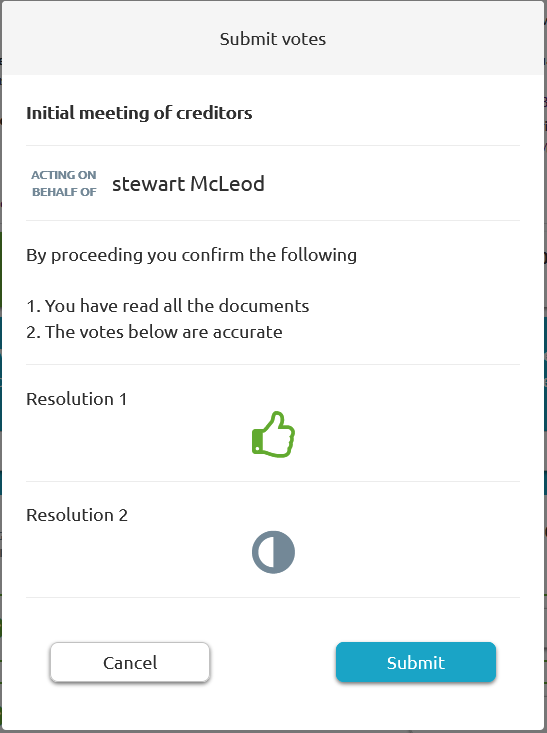
Click "Submit" and your vote is now submitted.
Comments
0 comments
Please sign in to leave a comment.